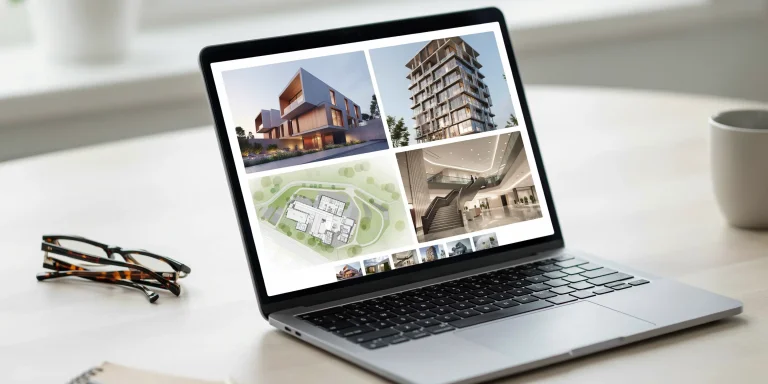
An architecture portfolio website is a public, browsable home for your best projects that hiring panels and admissions committees can open from a single link. In 2026, building one means choosing a platform, securing a custom domain, organizing three to six strong projects, and keeping a matching PDF ready, since most reviewers read the website and the document together.
A strong architecture portfolio website does something a PDF cannot: it gives a recruiter one link to share across a hiring panel, it loads on any device, and it lets you sequence a project as a story rather than a flat grid of images. For students applying to M.Arch programs and graduates chasing their first studio role, the site has shifted from a nice extra to an expectation. This guide walks through the decisions that actually matter, from web versus PDF to platforms, domains, hosting, and the content that earns a callback.
Do you still need a website if you have a PDF?

You need both, and they do different jobs. The American Institute of Architects notes that hiring managers favor a digital PDF for the application stage because it opens instantly, reads offline, and is easy to forward. A website earns its place at the interview and discovery stage. NCARB committee members point out that an online portfolio can choreograph the story you are trying to tell, pairing studio projects with a bio, sketchbook, and short narratives explaining each sample.
Think of the website as the front door and the PDF as the file you hand over once someone is interested. A recruiter who finds you on LinkedIn or through a referral clicks your link first; if the work holds up, they ask for the PDF to circulate internally. Skipping either format leaves a gap a competing applicant will fill.
⚠️ Common Mistake to Avoid
Many graduates simply upload their print PDF as a single embedded file and call it a website. NCARB advises against this, since a web-view of a PDF is hard to skim and navigate. Rebuild the work as native web pages with real headings, captions, and image galleries so reviewers can scan it in seconds.
Which platform should you build your architecture portfolio website on?

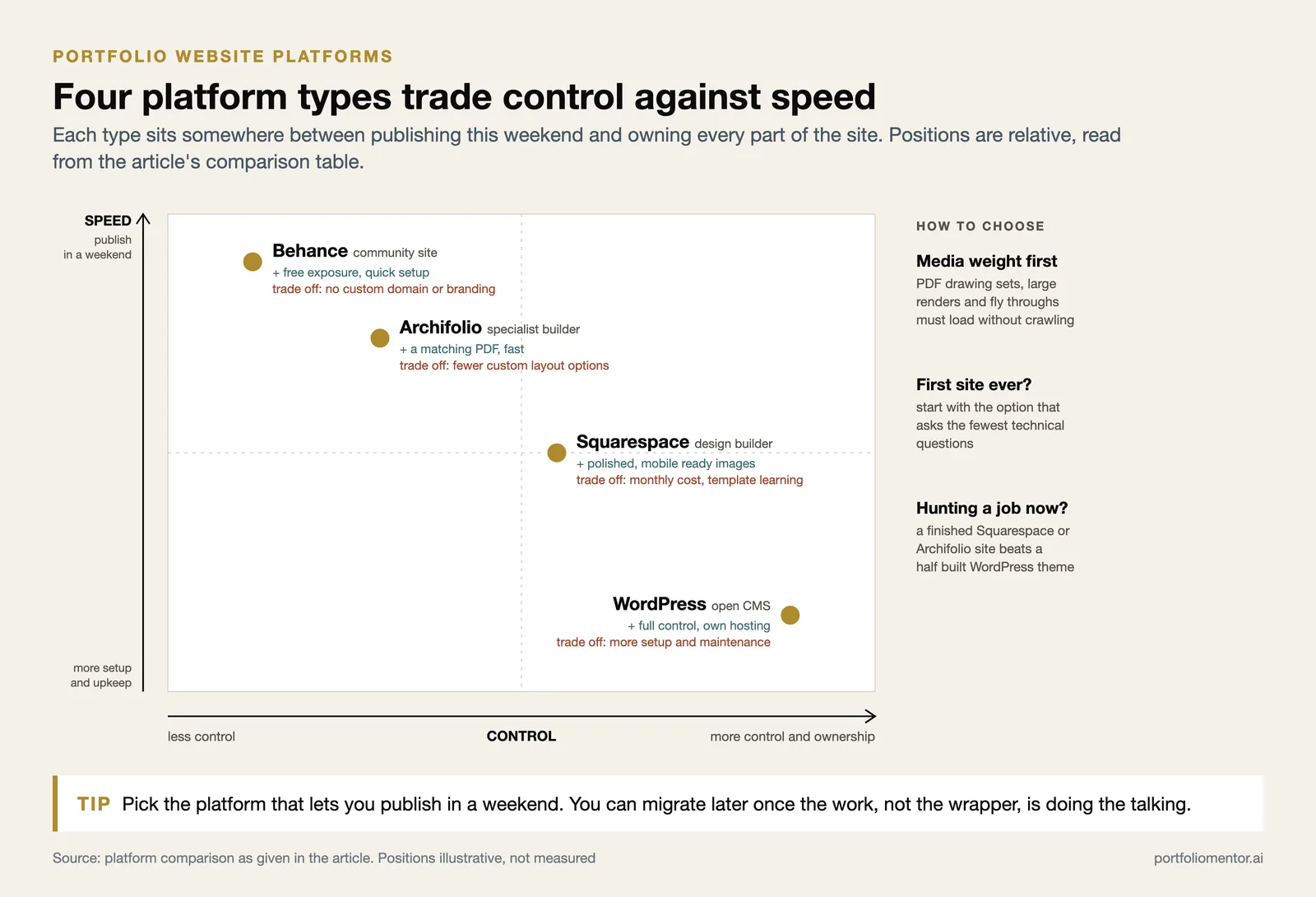
Your choice usually falls into three buckets: a specialist architecture builder, a general design-friendly builder, or a community platform. Each trades control against speed. NCARB itself points students toward platforms ranging from free community sites like Behance and Cargo to paid, customizable options such as WordPress and Squarespace.
The deciding factor for most students is not which platform has the longest feature list but how heavy their media is. An architecture portfolio website has to carry massive PDF drawing sets, photorealistic renders, and sometimes three-dimensional fly-throughs without crawling to a halt. Squarespace handles large images gracefully and stays mobile-responsive out of the box, which is why it remains a default for portfolio sites. WordPress gives you total control if you are comfortable managing your own hosting and plugins, while specialist tools like Archifolio strip the decisions down to the few that matter for a job application. If you have never built a site before, start with the option that asks the fewest technical questions.
How do the main platform options compare?

The table below summarizes where each type fits best for an architecture portfolio website.
| Platform type | Example | Best for | Trade-off |
|---|---|---|---|
| Specialist builder | Archifolio | Job-seekers who need a matching PDF fast | Fewer custom layout options |
| Design builder | Squarespace | Polished, mobile-responsive image portfolios | Monthly cost, template learning curve |
| Open CMS | WordPress | Full control and ownership over hosting | More setup and maintenance |
| Community site | Behance | Free exposure and quick setup | No custom domain or branding |
💡 Pro Tip
Pick the platform that lets you publish in a weekend, not the one with the most features. A graduate hunting for a role this cycle is better served by a finished Squarespace or Archifolio site than a half-built custom WordPress theme. You can always migrate later once the work, not the wrapper, is doing the talking.
If you want to compare ready-made starting points before committing, our overview of architecture portfolio templates breaks down grid and typography systems by specialization, and the companion guide on building an architecture portfolio website structure pairs neatly with the platform choice above.
How do you set up a custom domain and hosting?
A custom domain is the single cheapest upgrade to how professional your site looks. yourname.com reads better on a resume than yourname.squarespace.com, and it stays yours even if you switch platforms later. Most builders sell domains directly, or you can register one separately through a registrar and point it at your host with a few DNS records.
- Choose a domain that is your full name where possible, since recruiters search by name. Add a middle initial or “arch” suffix if your name is taken.
- Favor .com first; .com is still the most trusted and memorable extension for a professional site.
- On hosted builders like Squarespace or Archifolio, hosting is bundled, so you only manage the domain.
- On WordPress, choose a host with image-friendly performance, because architecture drawings and renders are heavy files.
- Enable HTTPS (an SSL certificate). Most modern builders turn this on automatically.
📐 Technical Note
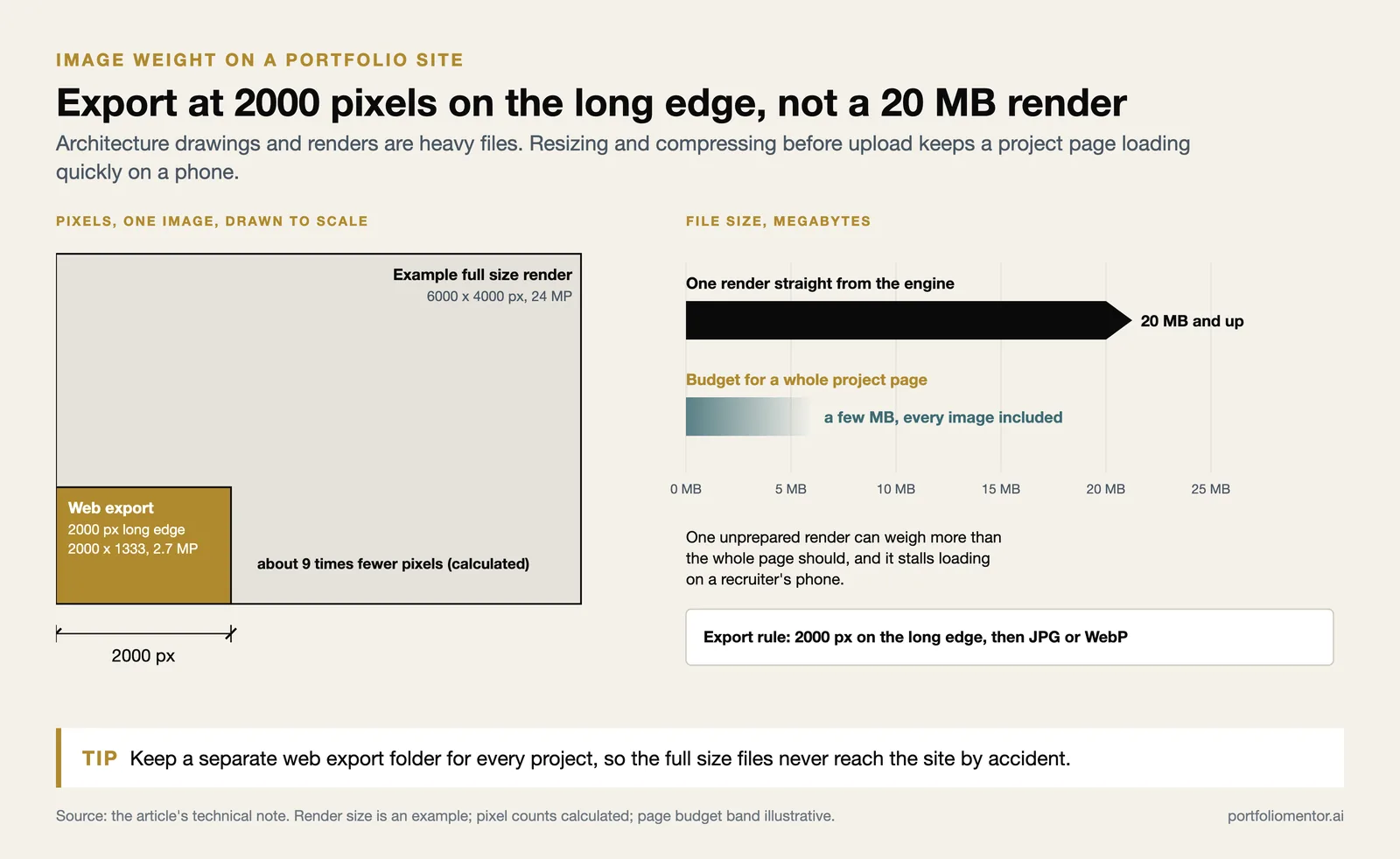
Export images at no more than 2000 pixels on the long edge and compress to web-optimized JPG or WebP before uploading. A full-resolution render straight from your rendering engine can exceed 20 MB and stall the page. Aim to keep individual project pages under a few megabytes so they load quickly on a recruiter’s phone.
What should you include on an architecture portfolio website?
Content beats configuration every time. NCARB recommends restraint over volume: an online format lets you add more samples than a print book, but the advice is to resist including everything and keep the work skimmable. Select projects that show range, then organize them so a reviewer grasps your strengths in the first thirty seconds.
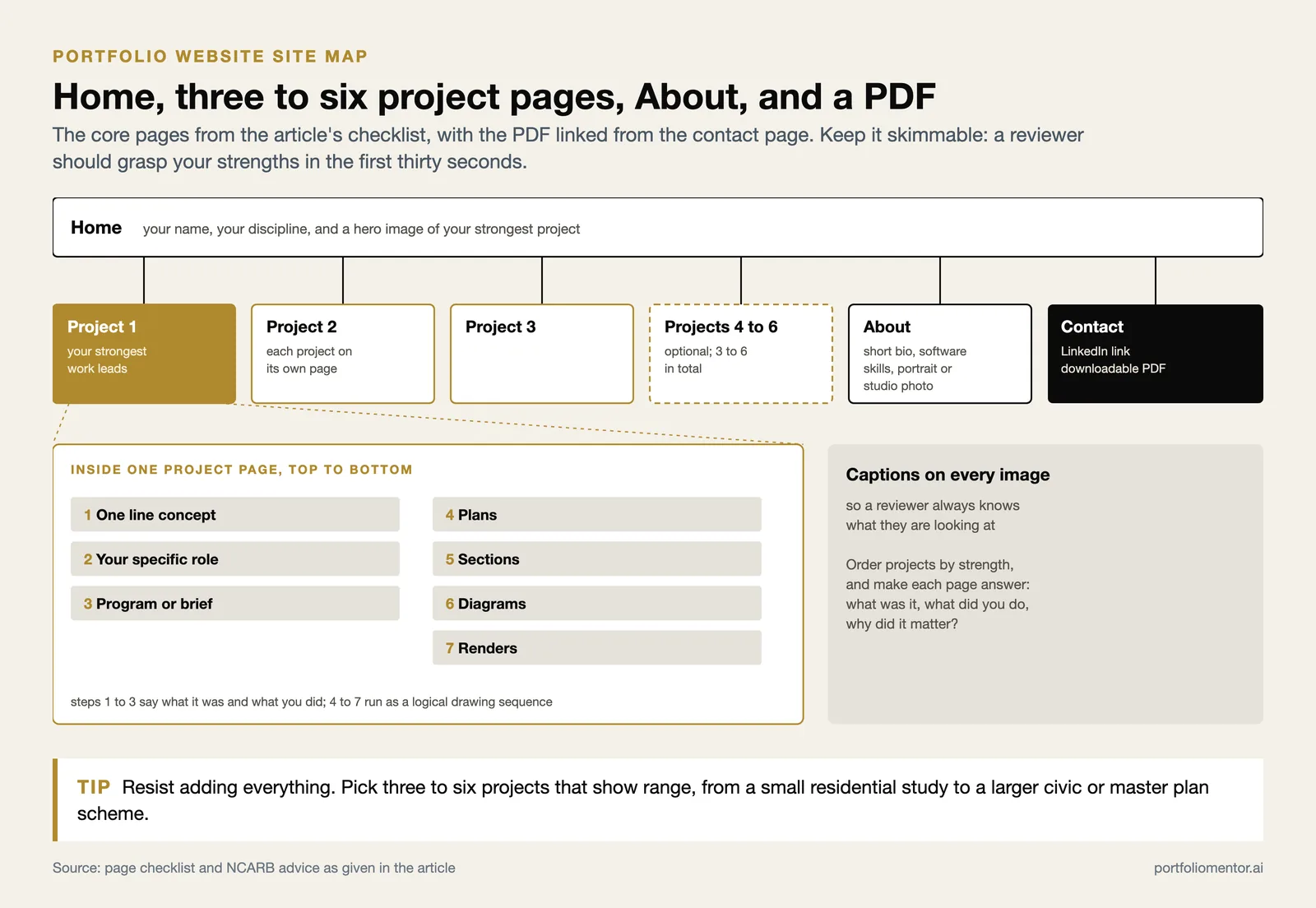
Range matters more than quantity. A reviewer wants to see that you can move between a small residential study and a larger civic or master-plan project, and that you handle both the conceptual and the technical sides of a design. NCARB also advises adding personality through the work you choose to feature, whether that is a sketchbook, a photography series, or a project you genuinely care about. The goal is for someone to finish browsing and have a clear sense of what kind of designer you are, not just that you can render a building. Organize the work logically, leading with your strongest project rather than following chronology, so both human readers and search engines can move through it without friction.
The core pages checklist
- Home: a clean landing area with your name, discipline, and a hero image of your strongest project.
- Three to six projects, each on its own page, leading with the best work.
- For every project: a one-line concept, your specific role, the program or brief, and a logical sequence of plans, sections, diagrams, and renders.
- An About page with a short bio, your software skills, and a portrait or studio photo.
- A contact method and links to your LinkedIn and downloadable PDF.
- Consistent captions on every image so reviewers know what they are looking at.
Order your projects by strength rather than chronology, and make sure each page answers what the project was, what you did, and why it mattered. If you are unsure which images carry a project, our breakdown of how an AI portfolio review scores layout and presentation shows the criteria firms actually weigh, and the common architecture portfolio mistakes guide flags the errors that quietly sink applications.
📌 Did You Know?
According to Portfolio Mentor, the platform evaluates portfolios against a ten-criterion rubric covering concept, drawing quality, layout, and presentation, and indexes over 500 architecture studios and 80-plus M.Arch programs to estimate where a given portfolio is likely to land. The level of detail signals how closely real hiring panels read each page rather than skimming for a single hero shot.
How do you keep the website and PDF in sync?
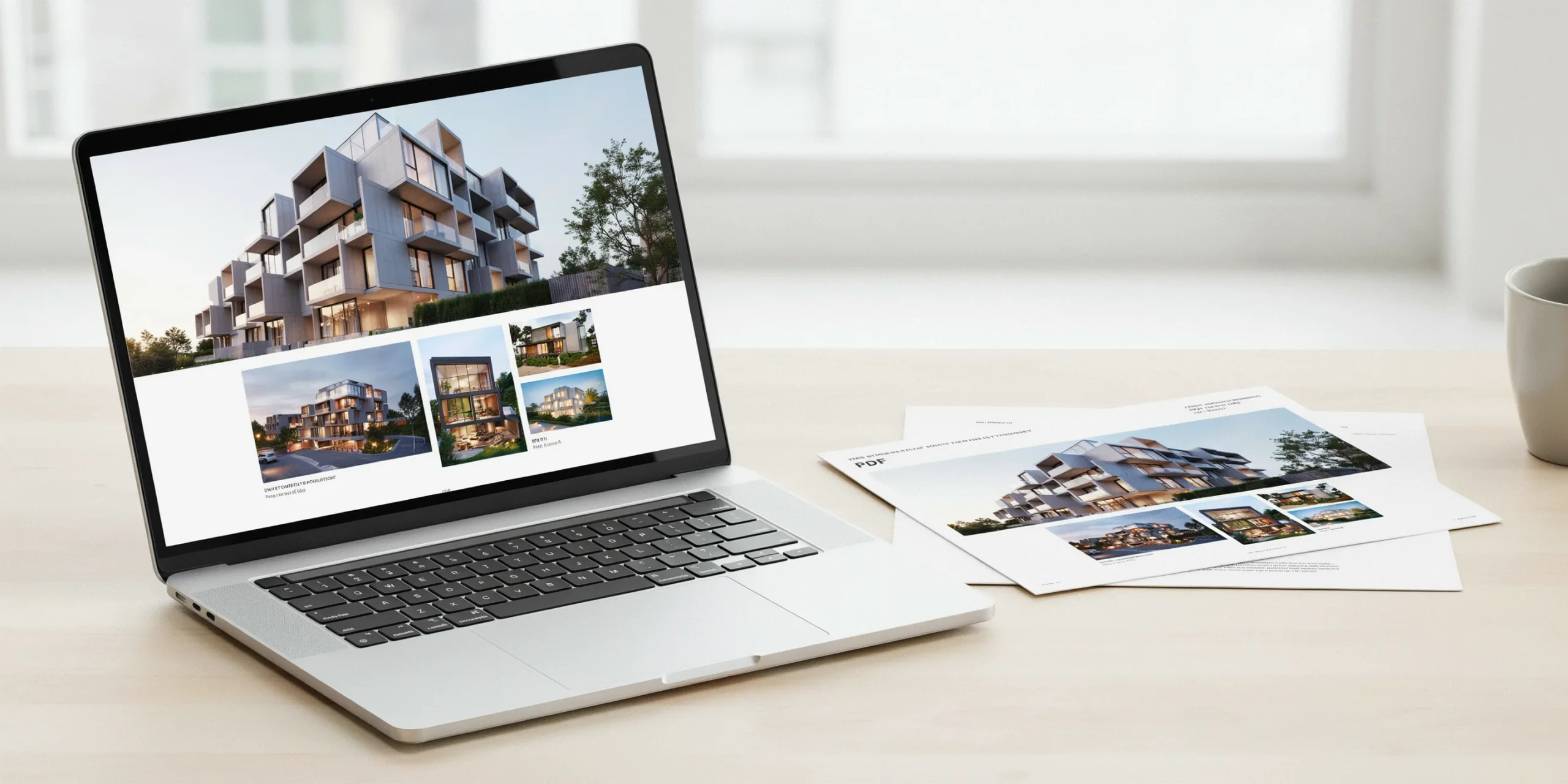
Because hiring panels read the two together, mismatched versions look careless. Treat the PDF as the print edition of the same projects, using the same titles, the same hero images, and the same narrative order. When you update one, update the other in the same session. Specialist builders like Archifolio are popular precisely because they generate a matching PDF from the same source, which removes the drift between formats.
Keep the website link short and clean for resumes and email signatures, and host the PDF as a direct download from your About or contact page. A version stored behind a login or expiring share link frustrates the exact people you want to impress.
How long should building it take?
With projects already documented, a focused student can publish a solid site on a hosted builder in a weekend. The slow part is content selection and image preparation, not the platform. Block one session for choosing and sequencing projects, one for writing captions and your bio, and one for layout and the custom domain. Resist the urge to perfect every pixel before launch, since a live, honest site beats an unpublished perfect one.
Frequently asked questions
Is a free website builder good enough for an architecture portfolio?
For a first job search, yes. A free Behance or community profile gets your work online quickly. The main limit is branding: free tiers usually withhold a custom domain and add their own marks. Upgrading to a paid plan with your own domain is worth it once you are actively applying.
How many projects should the website show?
Three to six is the sweet spot for students and recent graduates. Each project should earn its place. NCARB stresses skimmability over volume, so a tight set of strong work outperforms a long, uneven gallery.
Should I buy a custom domain right away?
If you can spend a small annual fee, yes. A name-based domain is the cheapest way to look professional and follows you across platform changes. If budget is tight, launch on the free subdomain first and add the custom domain before you start sending applications.
Putting It All Together
✅ Key Takeaways
- Build a website and keep a matching PDF, since hiring panels read both together.
- Choose a platform you can finish quickly: Archifolio, Squarespace, WordPress, or a free community site.
- Register a name-based custom domain and turn on HTTPS for a professional first impression.
- Lead with three to six strong projects, each with role, concept, and clear captions.
- Optimize image sizes so heavy drawings and renders still load fast on a phone.
Your Next Step: Pick the single project you are proudest of, prepare its images at web resolution, and publish it as one live page on a free builder today. A real link with one excellent project beats a private folder of ten unfinished ones, and you can grow from there.
Sources: NCARB, The American Institute of Architects, Squarespace, Archifolio.