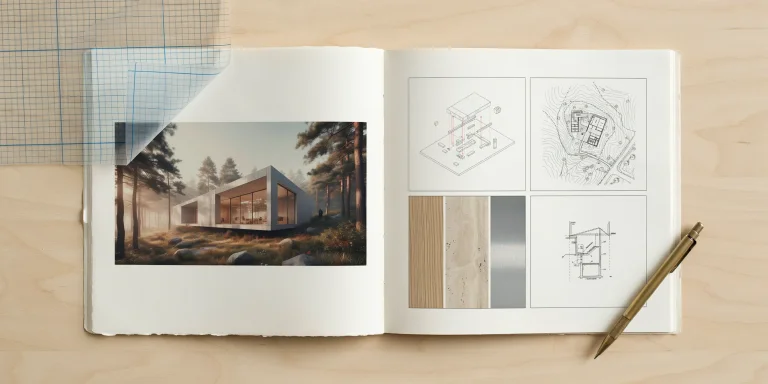
The most damaging architecture portfolio mistakes are rarely about talent. They come from cramming in too many projects, weak layout, no clear narrative, low-resolution images, and missing captions. Hiring partners and admissions readers spend under three minutes per portfolio, so these errors quietly cost interviews before your best work is ever seen.
A reviewer at a busy firm opens fifty PDFs in an afternoon. Yours gets a first scroll, maybe ninety seconds, and a quick judgment about whether to read further. Strong drawings get buried under poor editing decisions every single day. Understanding the specific architecture portfolio mistakes that trigger an early rejection lets you fix them before you hit send, and most are correctable in an afternoon.
🔢 Quick Numbers
- Most firms and M.Arch programs prefer a portfolio of 20 to 28 pages, per portfolio guidance from ArchAdemia (2026).
- Many universities and firms set a 10 MB file ceiling, with some capping at 5 MB, according to the UT School of Architecture Portfolio Guide on Issuu.
- Export at 150 DPI for screen-only PDFs and 300 DPI for print, a standard reflected across architecture portfolio guidance from Archisoup.
What are the most common architecture portfolio mistakes?

The most common architecture portfolio mistakes fall into five clusters: including too many projects, poor layout and visual hierarchy, no narrative thread connecting the work, low-resolution or compressed images, and missing or bloated captions. Each one weakens how quickly a reviewer can read your skill, and together they sink otherwise capable applicants.
Below, each mistake is paired with the fix a hiring partner actually wants to see. Work through them in order, since the early ones (project selection and structure) shape every layout decision that follows.
Mistake 1: Including too many projects

The instinct to show everything is the single most frequent error. A portfolio with twelve projects reads as twelve average ones, not twelve impressive ones. Reviewers calibrate to your weakest included piece, so a mediocre fourth-year studio drags down a strong thesis sitting two pages later.
Cut to your three to six strongest projects and give each room to breathe. Lead with the work that matches the role or program you are targeting. A residential firm wants to see your housing studio first; a master-plan team wants the urban-scale project up front. The before-and-after portfolio examples from Portfolio Mentor show how tighter editing alone lifts review scores, often without adding a single new drawing.
💡 Pro Tip
When deciding what to cut, ask whether each project teaches the reviewer something new about you. If two studios both demonstrate parametric facade work, keep the stronger one and drop the duplicate. Range matters more than volume, so trade repetition for variety in scale, program, and representation.
Mistake 2: Poor layout and weak visual hierarchy

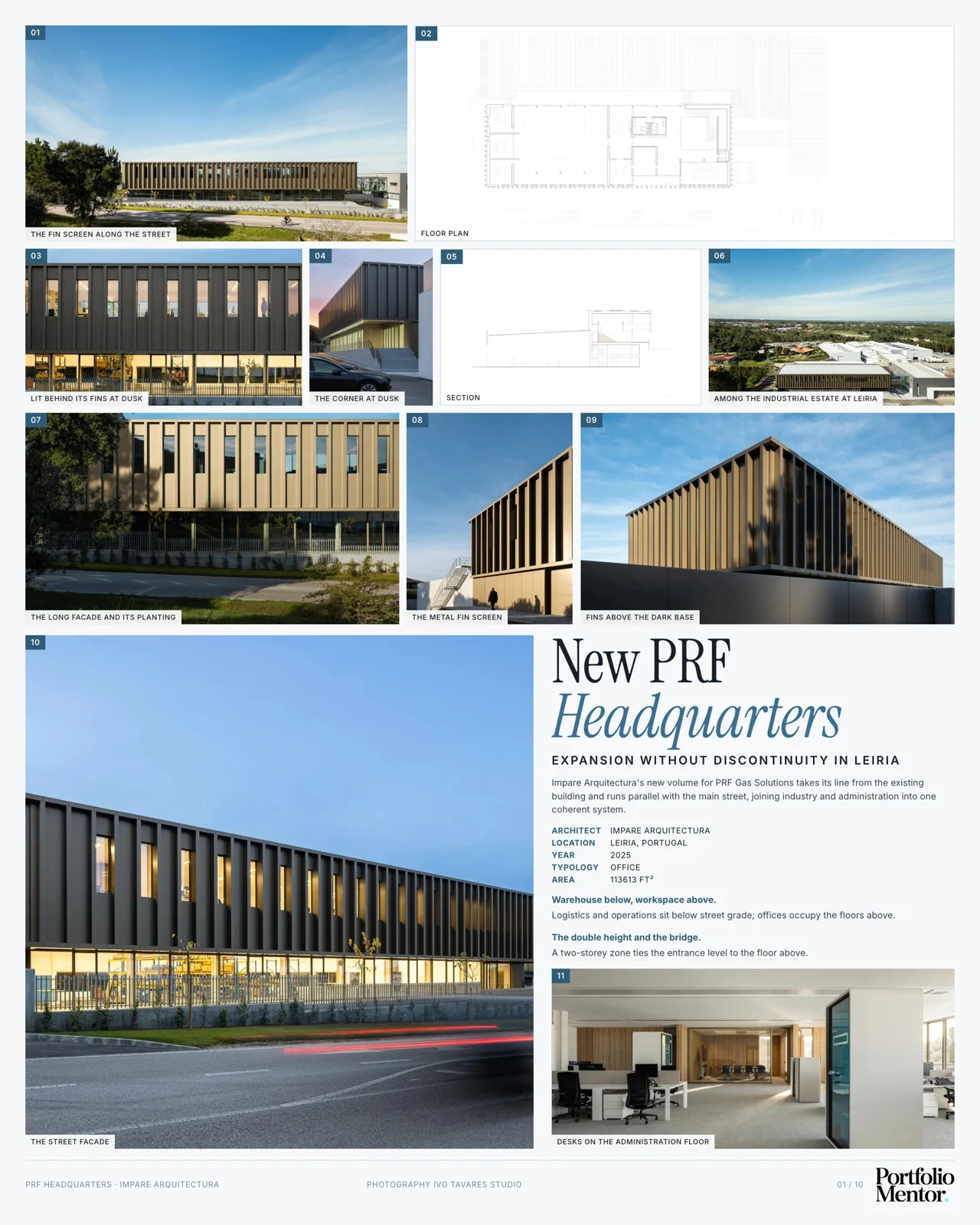
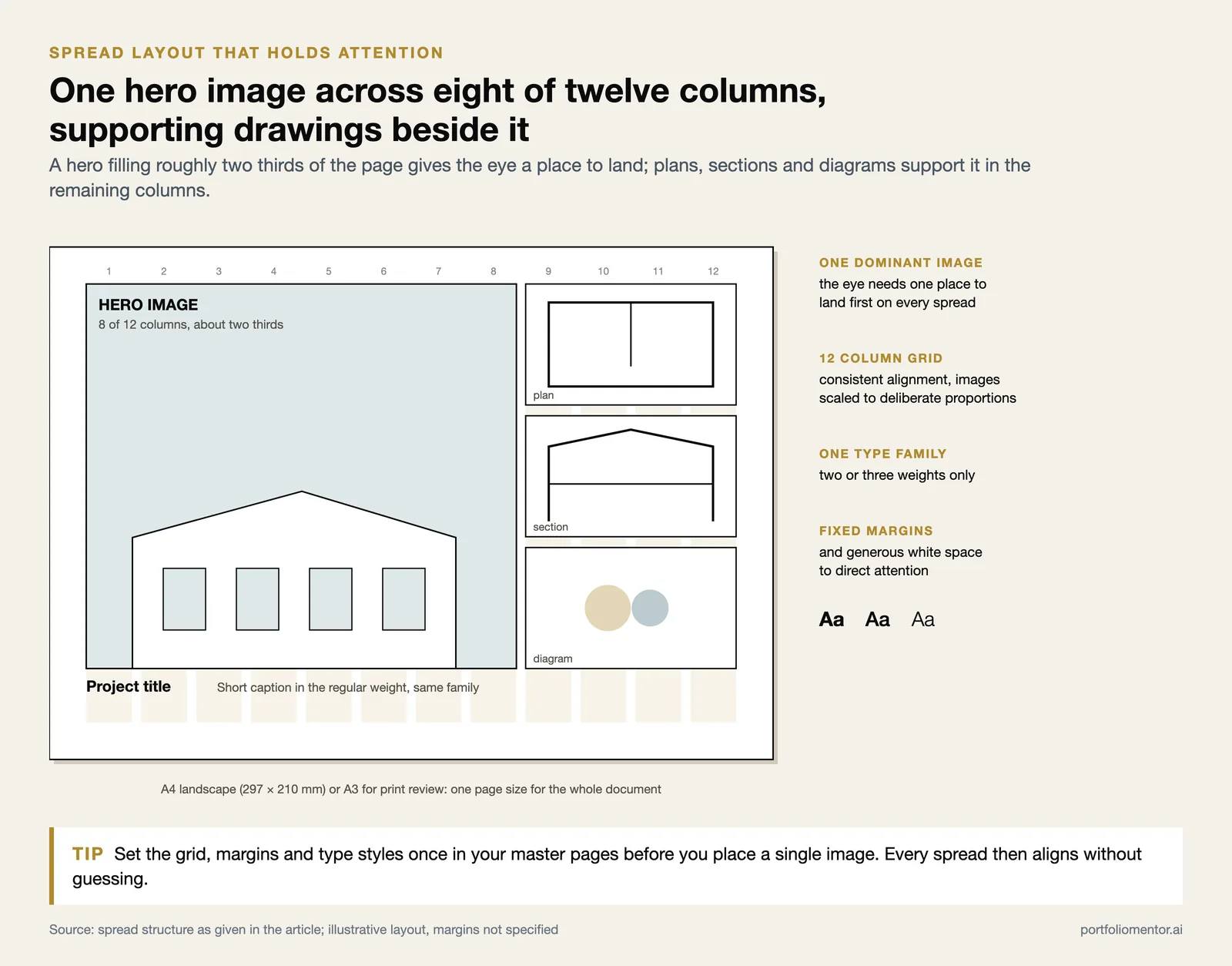
Poor layout is the fastest way to look unprofessional regardless of design ability. Common signs include inconsistent margins, drawings floated at random sizes, competing fonts, and pages with no clear focal point. When everything shouts, nothing reads. The eye needs one dominant image per spread to land on first.
Build every page on a grid. A 12-column grid in InDesign gives you consistent alignment and lets you scale images to deliberate proportions instead of guessing. Keep one type family with two or three weights, fix your margins, and let generous white space do the work of directing attention. If you are still choosing software and settings, a focused walkthrough on building an architecture portfolio in InDesign covers grid setup and export presets step by step.
📐 Technical Note
A reliable spread structure is one hero image filling roughly two-thirds of the page, supported by smaller plans, sections, and diagrams below or beside it. Hold a consistent page size across the document, commonly A4 landscape or A3 for print review, so the file reads as one coherent object rather than a folder of loose sheets.
Mistake 3: No narrative connecting the work

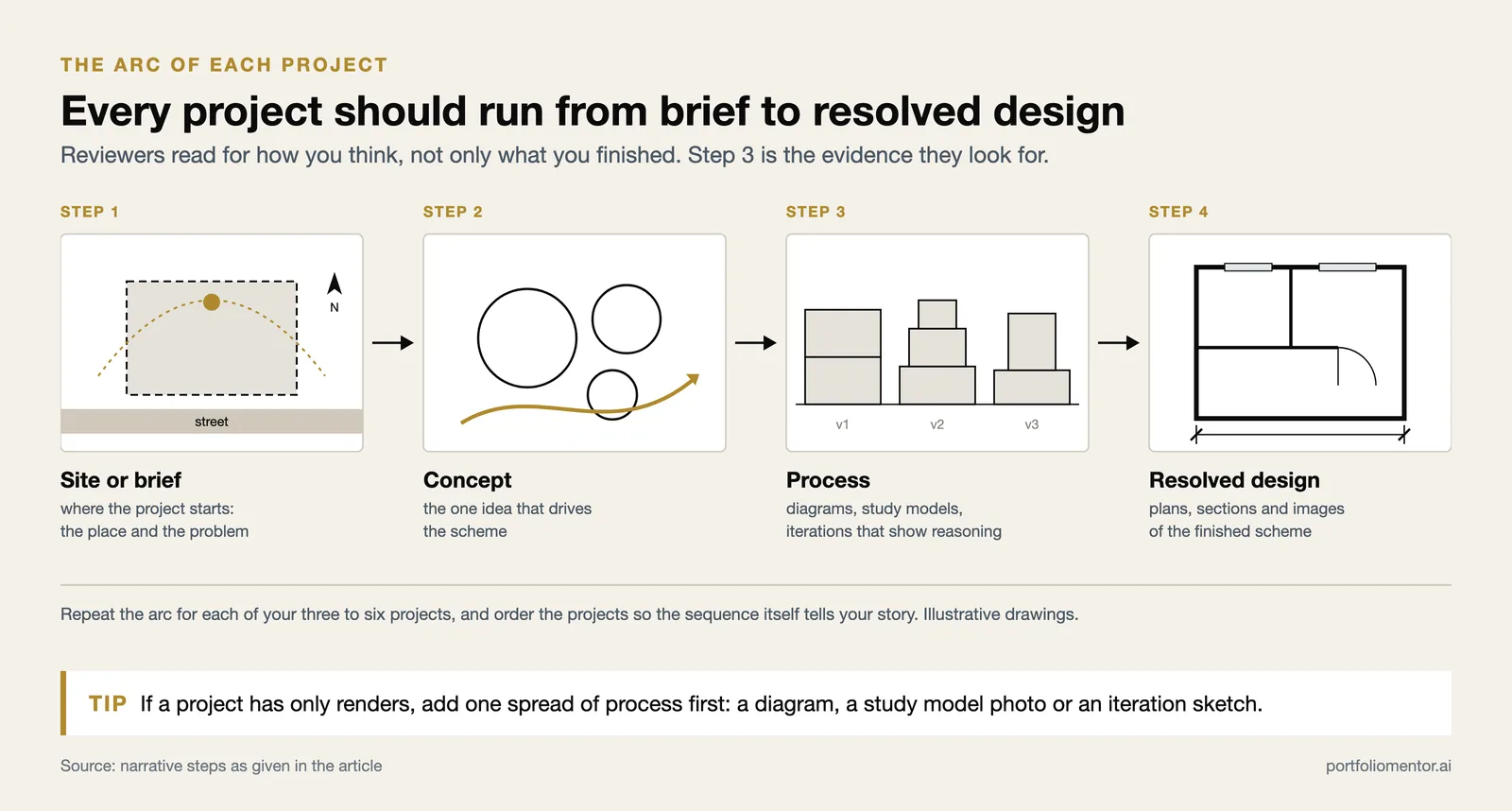
A portfolio without a narrative is a slideshow. Reviewers should sense a designer behind the pages: how you think, what problems pull your attention, how a concept moves from sketch to resolved drawing. When projects sit side by side with no through-line, the reader works harder and remembers less.
For each project, show the arc. Open with the site or brief, follow with concept and process, then land on the resolved design. Process work matters here. Diagrams, study models, and iteration sketches prove you can reason through a problem, which is exactly what a hiring partner is trying to assess. Order your projects so the sequence itself tells a story about your trajectory rather than a random reverse-chronology.
📌 Did You Know?
NCARB’s Architectural Experience Program now includes a portfolio method that asks candidates to document competency across 96 defined tasks, according to NCARB (2024). The same principle applies to a job portfolio: reviewers read for evidence of specific skills, not just finished renders, so showing how you solved a problem carries real weight.
Mistake 4: Low-resolution and compressed images

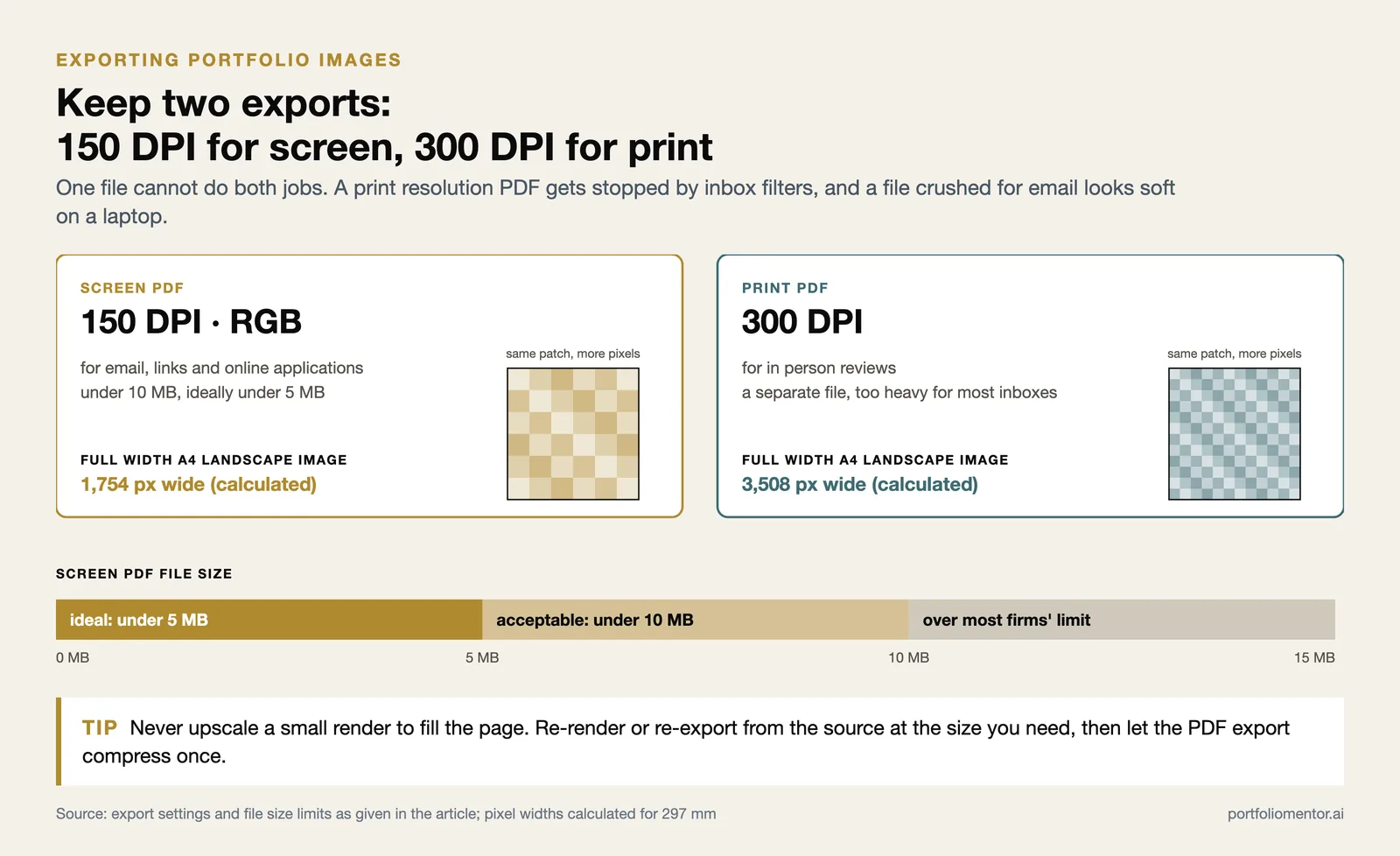
Pixelated renders and blurry plans read as carelessness, and they happen most often when a portfolio is exported once and reused everywhere. A file crushed to fit an email looks soft on a laptop screen; a print-resolution monster gets blocked by inbox filters before a reviewer ever opens it.
Keep two versions. Export a screen-only PDF at 150 DPI in RGB to stay under the 10 MB limit most firms expect, and a separate 300 DPI print file for in-person reviews. Source your drawings at full resolution, then let the export setting do the compression once, rather than dropping already-small images into the layout.
How large should an architecture portfolio file be?
Aim for a screen PDF under 10 MB, and ideally under 5 MB, so it downloads fast and clears email filters. The UT School of Architecture Portfolio Guide on Issuu notes that many programs and firms enforce these ceilings outright, rejecting oversized files automatically before a human sees them.
⚠️ Common Mistake to Avoid
Do not upscale a small image to fill a page. Enlarging a low-resolution render past its native size produces soft, blocky output that no export setting can rescue. Re-render or re-export from the source file at the dimensions you actually need on the page, then place it without stretching.
Mistake 5: Missing or overwritten captions
Captions are where portfolios swing between two extremes. Some include none, leaving the reviewer to guess what a diagram means or which project a drawing belongs to. Others bury each spread under a paragraph of explanation that the images should have carried on their own.
Write two to three sentences per spread that name the project, the design challenge, and your specific role or approach, a caption discipline echoed in portfolio guidance from ArchEyes. Project attribution matters most on team or studio work, where a reviewer needs to know what you did versus what a group produced. If a diagram needs a full paragraph to be understood, redesign the diagram instead of explaining it.
Mistakes 6 to 9: The errors that quietly add up
Beyond the five core clusters, four smaller errors appear again and again in real reviews. None sinks a portfolio alone, but stacked together they signal a rushed application.
- Burying your best project: Strict reverse-chronological order often opens with weaker recent work. Lead with your strongest piece regardless of date.
- Ignoring the target: One generic portfolio sent everywhere ignores what each firm or program actually values. Reorder and re-edit for the role.
- Inconsistent representation: Mixing line weights, render styles, and drawing conventions across projects looks unsettled. Standardize your graphic language.
- No cover or contact page: A missing title page, page numbers, or contact details makes the document feel unfinished and harder to act on.
Tailoring is the highest-leverage fix in that list. Reviewers can tell within a page whether you understood their work. Reordering projects and rewriting captions for each application takes an hour and consistently outperforms a polished but generic file. The firm-matching and review features at Portfolio Mentor exist to flag exactly this kind of misalignment before you submit.
A quick self-audit checklist
Run your draft against this list before sending. If any item fails, fix it first, since reviewers treat these as baseline expectations rather than bonuses.
- Three to six projects only, strongest one first
- Consistent grid, margins, and type across every page
- Each project shows concept, process, and resolved design
- Screen PDF under 10 MB, images sharp at 150 DPI
- Two to three sentence captions with clear project attribution
- Cover page, page numbers, and contact details present
- Order and captions tailored to this specific firm or program
Students assembling a first version will find these same priorities expanded in our guide to the undergraduate architecture portfolio, and anyone refining the surrounding application should pair the portfolio with a tight architecture CV. To see how an automated score breaks down each of these factors, walk through how the review process works.
Once you have worked through these, an outside read catches what you have stopped seeing. Our guide to choosing an architecture portfolio review sets out the four options and what to check before paying for any of them.
Frequently asked questions
How many projects should an architecture portfolio have?
Three to six strong projects is the working range for most job and M.Arch applications. Fewer than three can read as thin unless each is exceptional, while more than six dilutes your strongest work. Quality and range beat raw volume every time.
What is the worst architecture portfolio mistake?
Including too many projects is the most common and most damaging architecture portfolio mistake, because reviewers calibrate to your weakest included piece. Editing down to your best work, with a clear lead project, fixes more first impressions than any single layout change.
Should an architecture portfolio be PDF or website?
A PDF remains the standard for applications because reviewers can download, annotate, and archive it. A personal website is a useful supplement for visibility, but most firms and programs still ask for a self-contained PDF under their file-size limit.
How long do reviewers spend on a portfolio?
Often under three minutes on a first pass, sometimes closer to ninety seconds at a busy firm. That short window is why layout, project order, and the strength of your opening spread carry so much weight in whether you reach an interview.
Your Next Step: Open your current portfolio and cut it to your six strongest projects, then move your best one to the front before touching anything else. That single edit reshapes the first impression more than a week of layout polishing.
Sources consulted include NCARB, the UT School of Architecture Portfolio Guide on Issuu, Archisoup, ArchAdemia, and ArchEyes. External standards on file size and resolution vary by program and firm, so confirm specific submission requirements before applying.