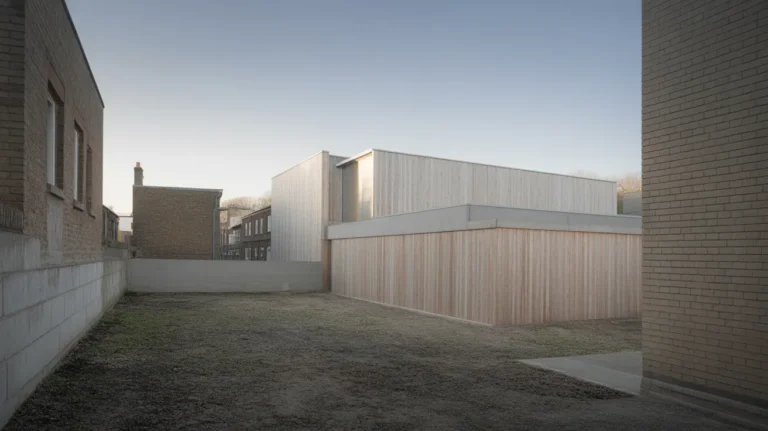
An exploded axonometric separates a building into its layers along a single axis while keeping all parallel lines parallel and all dimensions measurable. It shows assembly and hierarchy in one image, which is why it appears in almost every architecture portfolio and why most versions of it fail.
The drawing has become a genre requirement. Reviewers see dozens per application round, which means an average one adds nothing and a bad one actively costs you, because it advertises that you reached for a format without deciding what it should explain.
This guide covers the projection rules underneath the drawing, the decisions that make an exploded axonometric readable, and the failure modes that show up repeatedly in student work.
What is an exploded axonometric drawing?
It is an axonometric projection in which components are displaced along one or more axes to reveal how they fit together. Two properties define it.
First, it is a parallel projection. Axonometric drawing keeps corresponding parallel lines parallel in the image rather than converging them at a vanishing point, which is what separates it from perspective and what makes it measurable. The Perspective Research Centre defines the family the same way: parallel lines in the object stay parallel in the image.
Second, the explosion is ordered. Parts move along the axis of assembly, so the viewer can read the sequence in which the building goes together: structure, envelope, services, finish.
📐 Technical Note
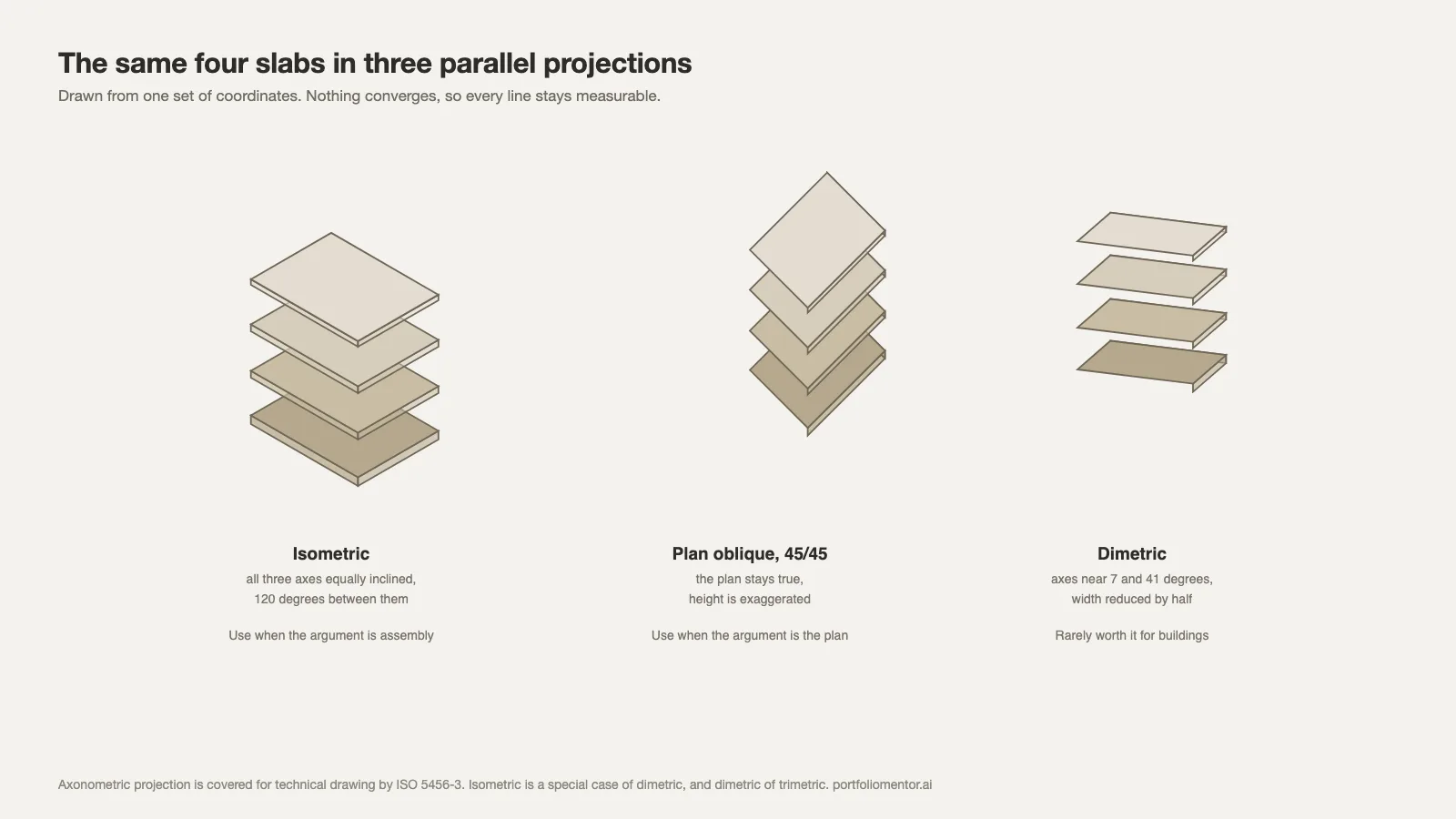
Axonometric projection is covered for technical drawing by ISO 5456-3. It divides into three cases by how the axes are foreshortened. Isometric: all three axes equally inclined, 120 degrees between them. Dimetric: two axes share a scale, the third differs. Trimetric: all three differ. Isometric is a special case of dimetric, and dimetric a special case of trimetric (Onshape documentation).
Which projection should you use?
For an exploded building drawing, the choice is usually between a 45/45 plan oblique and a 30/60 isometric. Decide on what you need to read, not on what looks best in the thumbnail.
Plan oblique (45/45)
The plan stays true. Rooms keep their real proportions and the layout is legible at a glance. Use it when the argument is about spatial organisation, circulation or programme distribution. It exaggerates height, which is a cost you accept.
Isometric (30/60)
All three axes are treated equally, so nothing is true but nothing is badly distorted either. Use it when the argument is about assembly and the three-dimensional relationship between layers rather than about plan.
Dimetric and trimetric
Rarely worth the trouble in architecture. Dimetric traditionally places one axis at around 7 degrees and another at 41 or 42, with the width reduced by half, and the foreshortening arithmetic gets involved quickly. Product and mechanical drawing uses them; buildings rarely need the extra precision.
⚠️ Common Mistake to Avoid
Exporting a perspective view from the model, then calling it an axonometric because the camera is far away. A long-lens perspective still converges, and anyone who draws for a living can see it in thirty seconds. Set the camera to parallel or orthographic projection in your modelling software before exporting. In most packages this is a single toggle, and it is the difference between a measurable drawing and a picture of one.
Deciding what the explosion explains
The drawing has one job and it is not “show the building”. Before drawing, write the sentence the image has to prove. Three examples that work:
- Assembly sequence. This is built in four operations, in this order.
- System separation. Structure, envelope and services are independent and can be replaced separately.
- Programme stacking. These uses sit in this vertical relationship for these reasons.
A drawing that tries to prove all three shows everything and explains nothing, which is one of the most common failures in student portfolios. Pick one, and if the other two matter, draw them separately.
Layer order and spacing
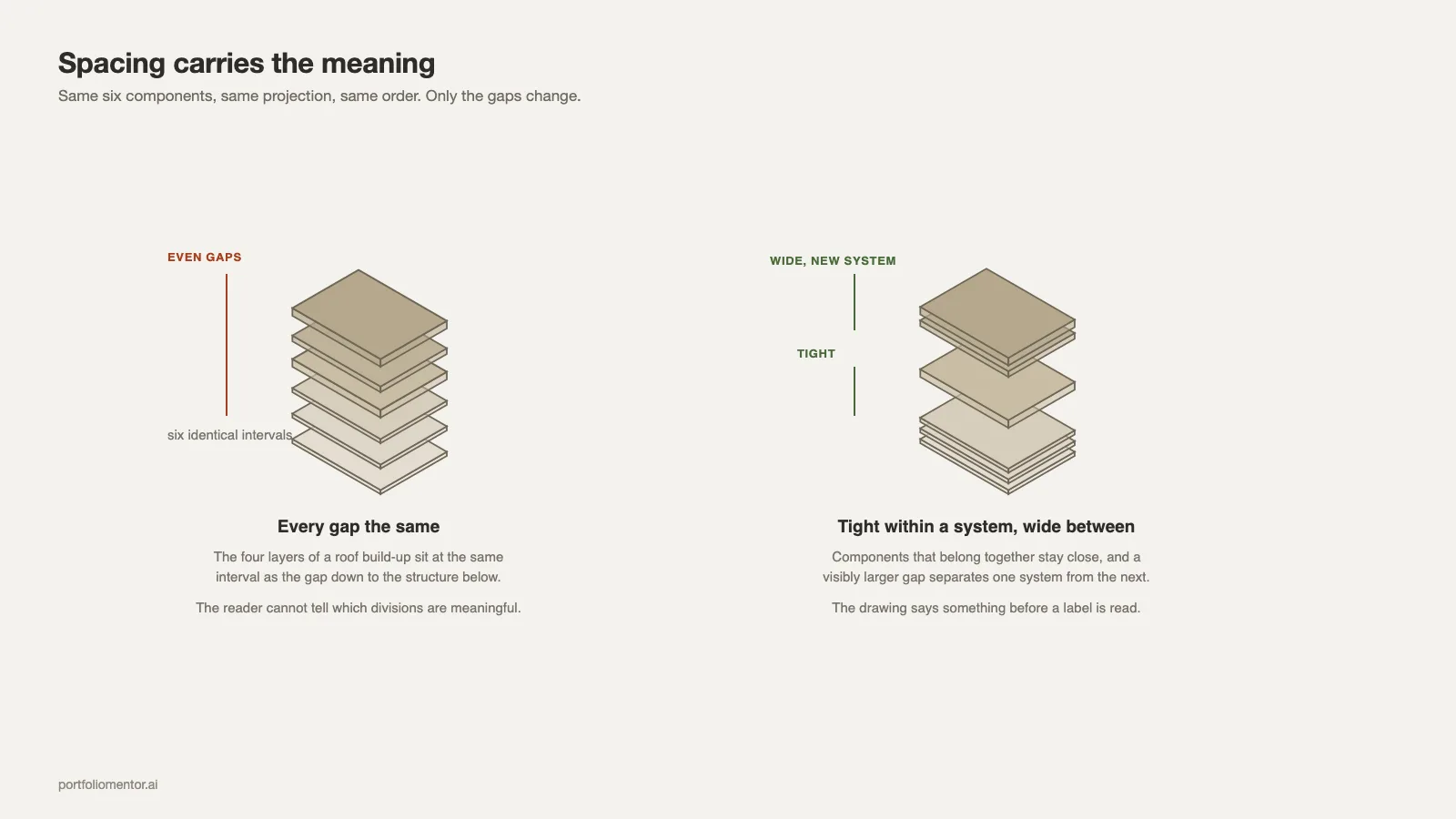
Spacing carries the meaning, and most drawings get it wrong by treating the gaps as decoration.
Use consistent spacing for components that belong to the same system and a visibly larger gap between systems. If the four layers of a roof build-up sit at the same interval as the gap between the roof and the structure below it, the reader cannot tell which divisions are meaningful.
Order from the ground up in the direction the building is actually built, the same way a student portfolio reads best when its projects run in a defensible sequence. Reversing it, or exploding downward, reads as a graphic choice rather than a description and forces the viewer to work out your logic before they can read the content.
Keep one axis of explosion where possible. Parts flying in three directions turn an explanatory drawing into a poster.
💡 Pro Tip
Draw the leader lines before you finalise the spacing. If a component cannot be labelled without its leader crossing three other leaders, the spacing is wrong, not the labelling. Reviewers read the labels first on this type of drawing, and a tangle of crossing lines is the fastest way to lose them.
Reading the drawing as a reviewer does
Understanding how the image gets looked at changes how you make it. A drawing of this kind in an application portfolio gets somewhere between five and fifteen seconds on a first pass, and the sequence of attention is predictable.
The eye lands on the largest contrast first, then follows the strongest line, then reads whichever text is closest to where it stopped. That is the whole budget. A drawing built so those three fixations land on the thing you want explained survives; one where the largest contrast is an unrelated shadow does not.
The practical consequence is that the component you want noticed should carry both the heaviest outline and the accent colour, and nothing else should. Students routinely give every layer equal graphic weight on the grounds of fairness to the design, which produces a drawing with no entry point.
The thumbnail test
Export the page at about 200 pixels wide and look at it. If you cannot tell within a second what the drawing is separating, the hierarchy is wrong, and no amount of layout work will rescue it. This test takes fifteen seconds and catches more problems than an hour of adjusting line weights at full zoom, because it approximates how the image reads on a contact sheet or in a scrolled PDF.
Common versions and what each is for
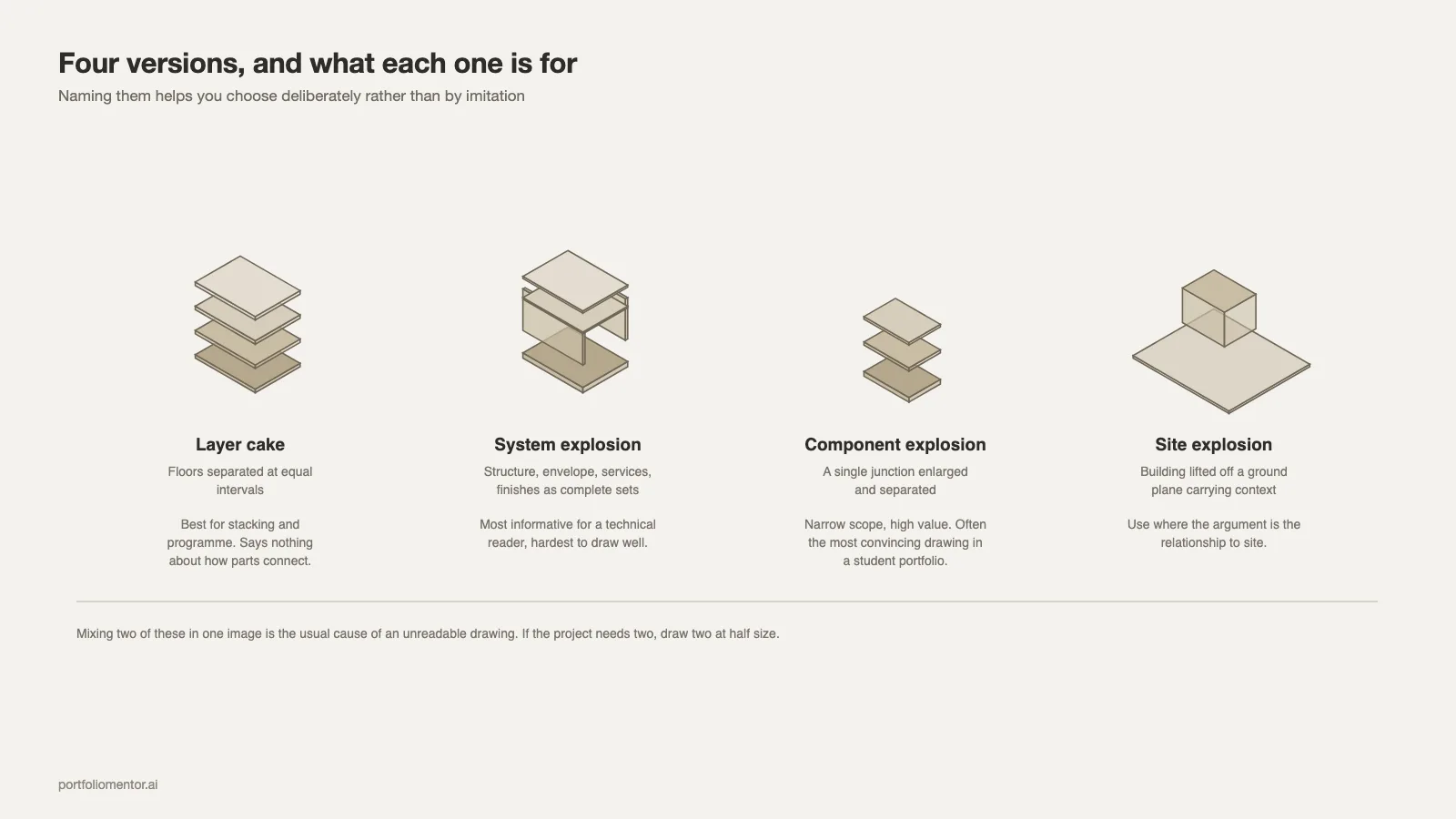
The genre has settled into a handful of recognisable types, and naming them helps you choose deliberately rather than by imitation.

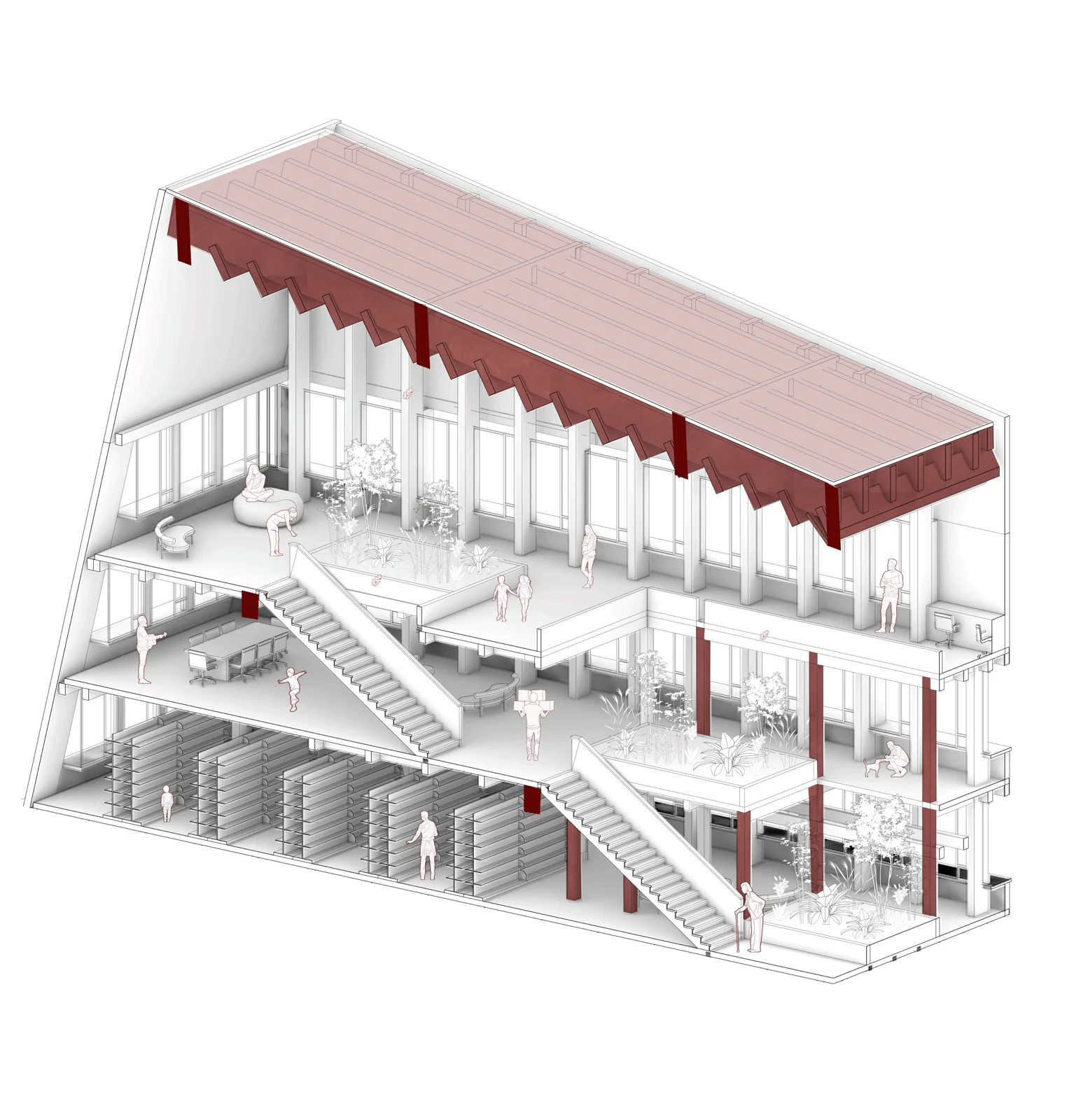
- Layer cake. Floors separated vertically at equal intervals. Best for stacking and programme arguments, weakest for assembly, because it says nothing about how anything connects.
- System explosion. Structure, envelope, services and finishes pulled apart as complete sets. The most informative version for a technical audience and the hardest to draw well, because each set has to read as a coherent object.
- Component explosion. A single junction or assembly enlarged and separated. Narrow scope, high value; often the most convincing drawing in a student portfolio precisely because it is specific.
- Site explosion. Building lifted off a ground plane that carries context, topography or infrastructure. Useful where the argument is about the relationship to site rather than the building itself.
Mixing two of these in one image is the usual cause of an unreadable drawing. A layer cake that also tries to separate systems within each floor has doubled its variables without doubling its space.
If the project genuinely needs two of them, draw two images at half size rather than one at full size. Two clear small drawings beat one crowded large one, and they also read better on a phone, which is where a surprising share of first reviews now happen. The formatting implications of that are handled in the digital portfolio guide.
Line weight is what separates a good one
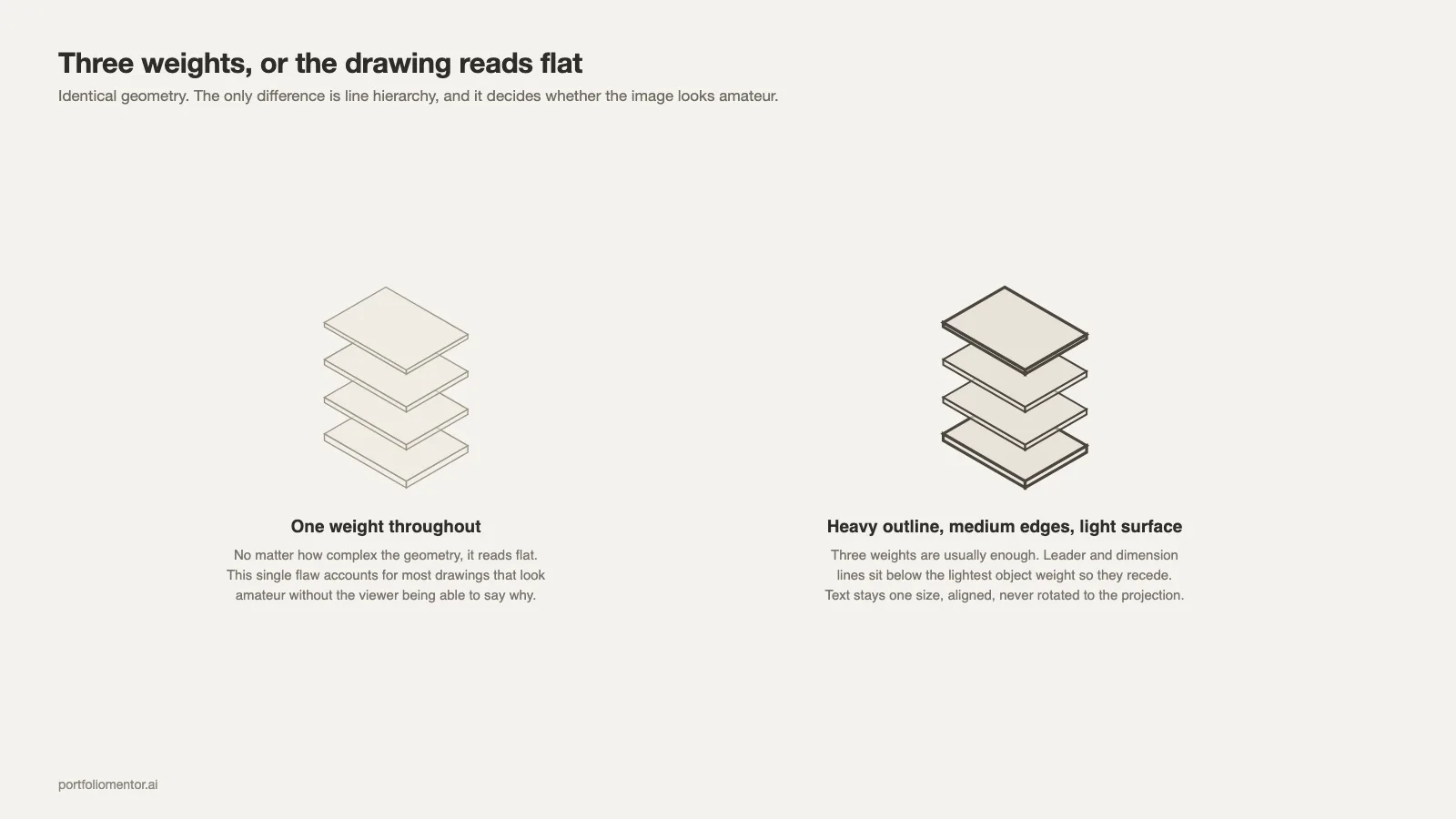
Exploded axonometrics live or die on line hierarchy, which places them squarely inside Technical Drawing in a portfolio review.
Three weights are usually enough: a heavy outline for the cut or silhouette of each component, a medium weight for visible edges, and a light weight for surface articulation and hatching. A drawing rendered at a single weight reads flat no matter how complex the geometry is. That one flaw accounts for most drawings of this kind that look amateur without the viewer being able to say why.
Leader lines and dimension lines should sit below the lightest object weight so they recede. Text should be one size, aligned consistently, and never rotated to follow the projection.
Colour and fill
Two approaches work and a third does not.
Monochrome with one accent colour reserved for the system you are explaining is the most reliable. It reads at thumbnail size, survives printing, and directs attention without argument.
A restrained palette assigning one colour per system also works, provided the palette is under about five colours and the same colour means the same thing across every drawing in the project.
What does not work is a full material render of an exploded view. The explosion is a diagram, and rendering it with realistic textures creates an image that is neither a convincing visualisation nor a legible diagram. Choose one register and commit.
Where it belongs in a portfolio
Usually as the second or third image of a project, after the drawing that establishes what the building is and before the detail work. Leading with an exploded axonometric asks the reader to understand an assembly before they know what is being assembled.
One per project is normally the limit. A book with six of them across four projects reads as a software habit rather than a set of decisions, and Project Selection suffers for it. The wider selection logic is in the architecture portfolio guide.
Page size matters more here than for most drawings, because it carries fine line work and small labels. At A5 the leaders disappear; at A3 landscape they survive both screen and print. Format decisions are covered alongside the rest of the page setup in the portfolio cover and front matter guide.
Producing one without wasting a week
A workable sequence, assuming the model already exists.
- Group the model by system, not by geometry. If the structure is spread across six unrelated groups, the explosion will fight you at every step.
- Set the camera to parallel projection and choose the angle. Test both plan oblique and isometric before committing; the right one is usually obvious once you see the plan.
- Displace along one axis with consistent intervals. Resist adjusting individual parts by eye.
- Export line work as vector rather than raster. Vector output keeps the weights crisp at any size and keeps the file small enough for application limits.
- Set line weights and add labels in Illustrator or InDesign, not in the modelling software. Control over hierarchy is far better there, and the process is described in the InDesign portfolio walkthrough.
When not to draw one
If the project has no interesting assembly, the drawing will say so. A single-volume building with a conventional structure produces a drawing with four layers and nothing to discover, and the reader registers the effort spent on an empty result.
In that case a well-drawn section or a sequence of plans carries the project better. The strongest portfolios are not the ones containing every drawing type; they are the ones where each drawing type is present because the project needed it. That judgement is part of what published portfolio examples reveal when you read several in sequence.
The short version
Parallel projection, one axis of explosion, consistent spacing that distinguishes systems from components, three line weights, one accent colour, one drawing per project. Decide the sentence it has to prove before you open the model, and skip it entirely when the building has no assembly worth separating.